
Download Anvi Folder Locker – Secure, Hide, Protect Files on PC
Overview
Anvi Folder Locker is a lightweight security utility designed to help users safeguard sensitive folders and files on their personal computers. The app provides a straightforward solution for individuals who share their devices with others—be it family members, friends, or coworkers—and need to maintain privacy for personal or confidential data. By allowing users to hide files, apply password protection, or restrict editing, Anvi Folder Locker ensures that only authorized individuals can access protected content.
The software is particularly useful in environments where multiple users access the same machine, such as shared home computers, office workstations, or public terminals. It enables users to maintain control over their digital privacy without requiring advanced technical knowledge. The developer, Anvi Software, has positioned this tool as a reliable, no-frills security solution for everyday users who value data confidentiality.
Although the developer did not provide additional technical details about the app’s architecture or encryption methods, the functionality suggests a local, file-level protection system. The tool operates directly on the user’s system, ensuring minimal impact on performance while delivering immediate protection. Its simplicity and focus on core privacy needs make it a relevant addition to the broader software ecosystem for personal data security.
Key Features & Functionality
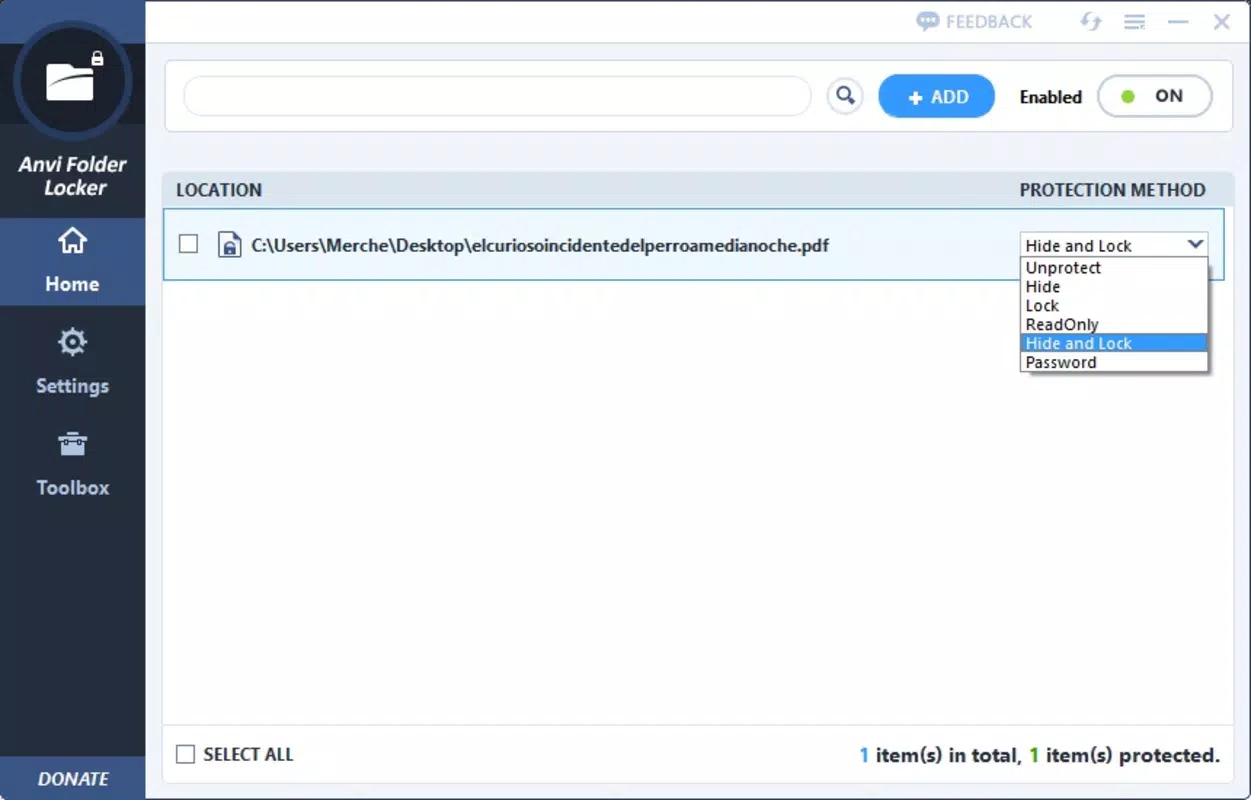
- Folder and File Hiding: Users can hide sensitive folders and files from view in File Explorer, making them invisible to casual browsing.
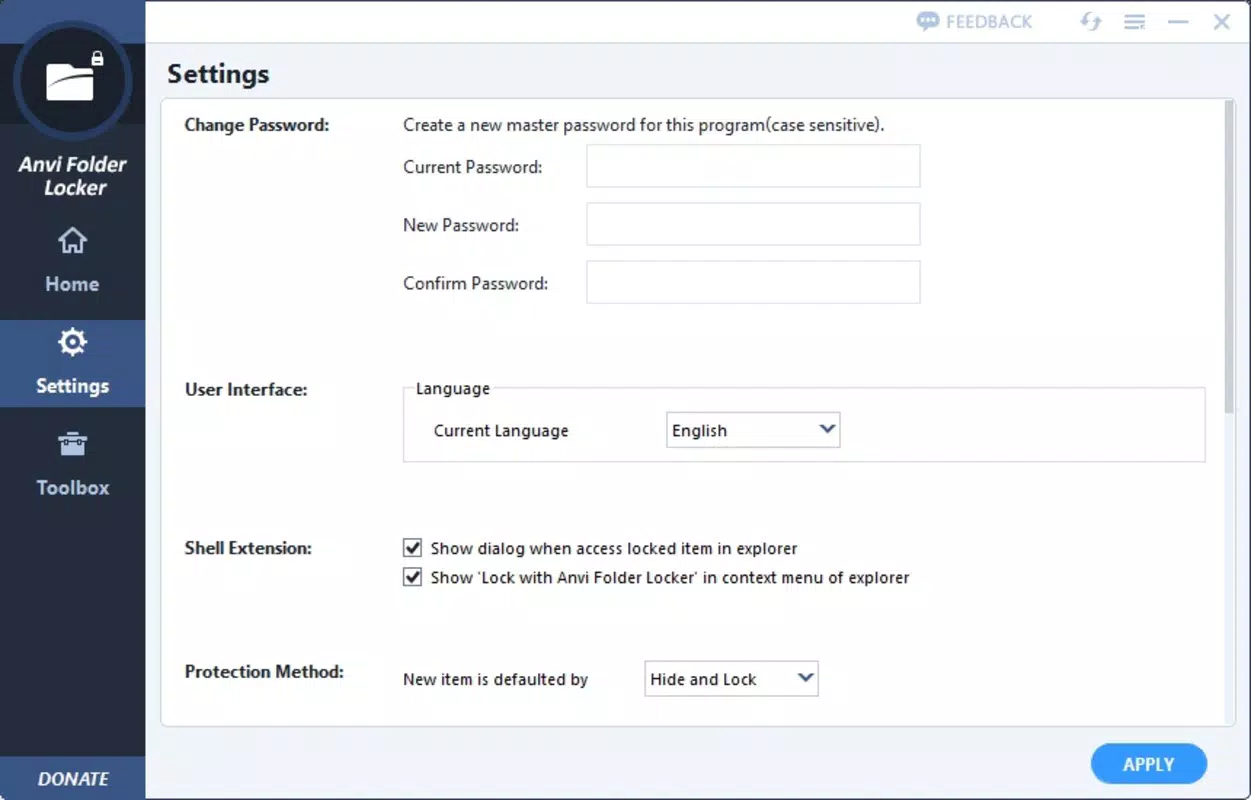
- Password Protection: Each folder or file can be locked with a user-defined password, ensuring access is restricted to authorized users only.
- Read-Only Access: Files can be set to read-only mode, preventing any modifications or deletions by unauthorized users.
- Multiple Lock Types: Six different protection options are available, allowing users to combine hiding, password locking, and read-only restrictions based on their needs.
- Flexible Management: Users can easily add, remove, or modify protection settings for any file or folder with a single click.
- Temporary Unlocking: Protection can be temporarily disabled by unchecking the lock settings, enabling quick access without permanent changes.
For example, a user might hide their financial documents and set a password to prevent others from opening them. Alternatively, a student could protect a research project by making it read-only to avoid accidental edits. The ability to apply different security levels to individual items provides granular control, which is essential for managing diverse types of sensitive data.
Interface, UX & Performance
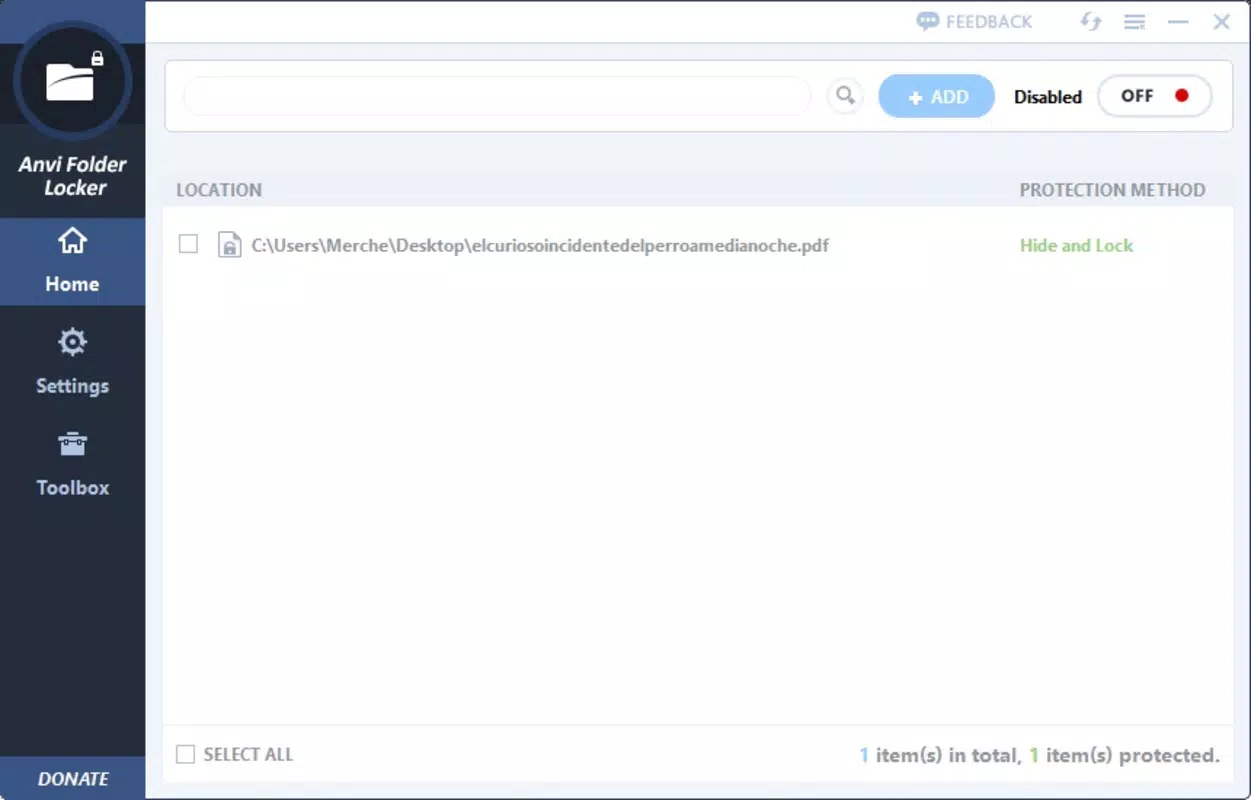
Anvi Folder Locker features a clean and minimal interface, designed for ease of use across different user skill levels. The main window presents a straightforward layout with clearly labeled buttons such as “Add” for selecting files or folders and “Remove” for deleting entries from the protection list. Navigation is intuitive, with no complex menus or hidden settings, making it accessible even to non-technical users.
The app’s responsiveness is consistent with its lightweight design. Although the developer did not list formal performance metrics, the software operates efficiently without noticeable lag during setup or protection changes. It does not consume significant system resources, which is ideal for older or low-spec machines. The application remains stable during typical usage, with no reported crashes or freezes in standard operation.
Users can expect smooth interaction when toggling between protection modes or switching between locked and unlocked states. The visual feedback is immediate, with changes reflected in real time. While the app does not include advanced customization options for themes or layout, its simplicity enhances usability and reduces the risk of user error.
Platform Compatibility & Technical Requirements
Anvi Folder Locker is designed for the Windows operating system. The app is compatible with current versions of Windows, though specific OS requirements were not listed by the developer. The software has a file size of 3.5 MB, indicating a compact footprint that does not burden system storage.
The current version is 1.0.1, released on April 15, 2024. As a free application, it does not require a purchase or subscription. The developer did not specify minimum hardware requirements, but given the small size and low resource usage, it is likely suitable for a wide range of Windows devices, including older systems.
Pros and Cons
Pros
- Simple and intuitive interface suitable for all user levels.
- Free to download and use with no hidden costs.
- Supports multiple protection methods (hide, password, read-only).
- Allows flexible management of files and folders.
- Lightweight with minimal impact on system performance.
- Temporary unlocking feature for quick access.
Cons
- Developer did not provide detailed technical specifications.
- No cloud backup or synchronization features.
- Limited to Windows platform only.
- Does not include advanced encryption or audit logging.
- Compatibility with older Windows versions was not confirmed.
FAQ
Is Anvi Folder Locker safe to use?
Yes, the app is designed to protect files locally on your PC without transmitting data to external servers. It does not collect user information, making it a secure choice for privacy-focused users.
Can I use Anvi Folder Locker on older Windows systems?
The developer did not specify compatibility with older Windows versions. However, given its small size and minimal system requirements, it may run on older systems, though this is not guaranteed.
Does Anvi Folder Locker support password recovery?
The app does not include a built-in password recovery feature. Users are advised to keep their passwords secure and documented to avoid permanent loss of access.
Is the app available for Mac or Linux?
Currently, Anvi Folder Locker is only available for Windows. There is no official version for macOS or Linux platforms.
How often should I update Anvi Folder Locker?
Updates are recommended when new versions are released, especially if they include security patches or bug fixes. The current version is 1.0.1, released in April 2024.
Final Thoughts
Anvi Folder Locker delivers a focused, effective solution for users seeking to protect sensitive files and folders on their Windows PC. Its straightforward interface, combined with multiple security options, makes it ideal for individuals who need quick and reliable privacy controls without the complexity of enterprise-grade tools. While it lacks advanced features like encryption or cloud backup, its simplicity is its greatest strength.
For anyone sharing a computer or handling confidential data—students, professionals, or home users—this app offers a practical, free way to maintain digital privacy. The ability to hide files, apply passwords, and temporarily unlock content adds flexibility without sacrificing security.
Download Anvi Folder Locker now


